
CueID
Mac · iPhone · iPad
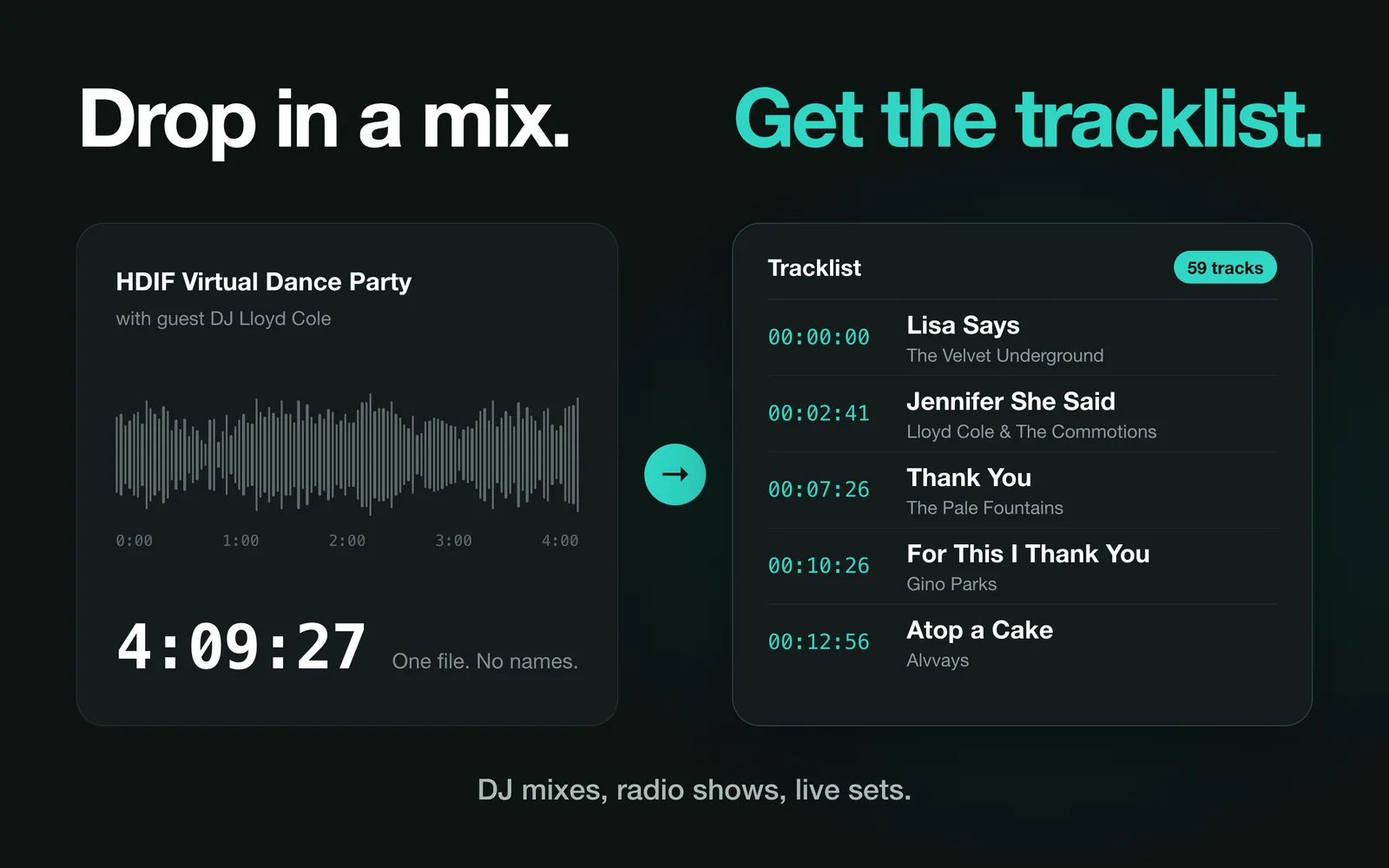
Drop in a mix.
Get the tracklist.
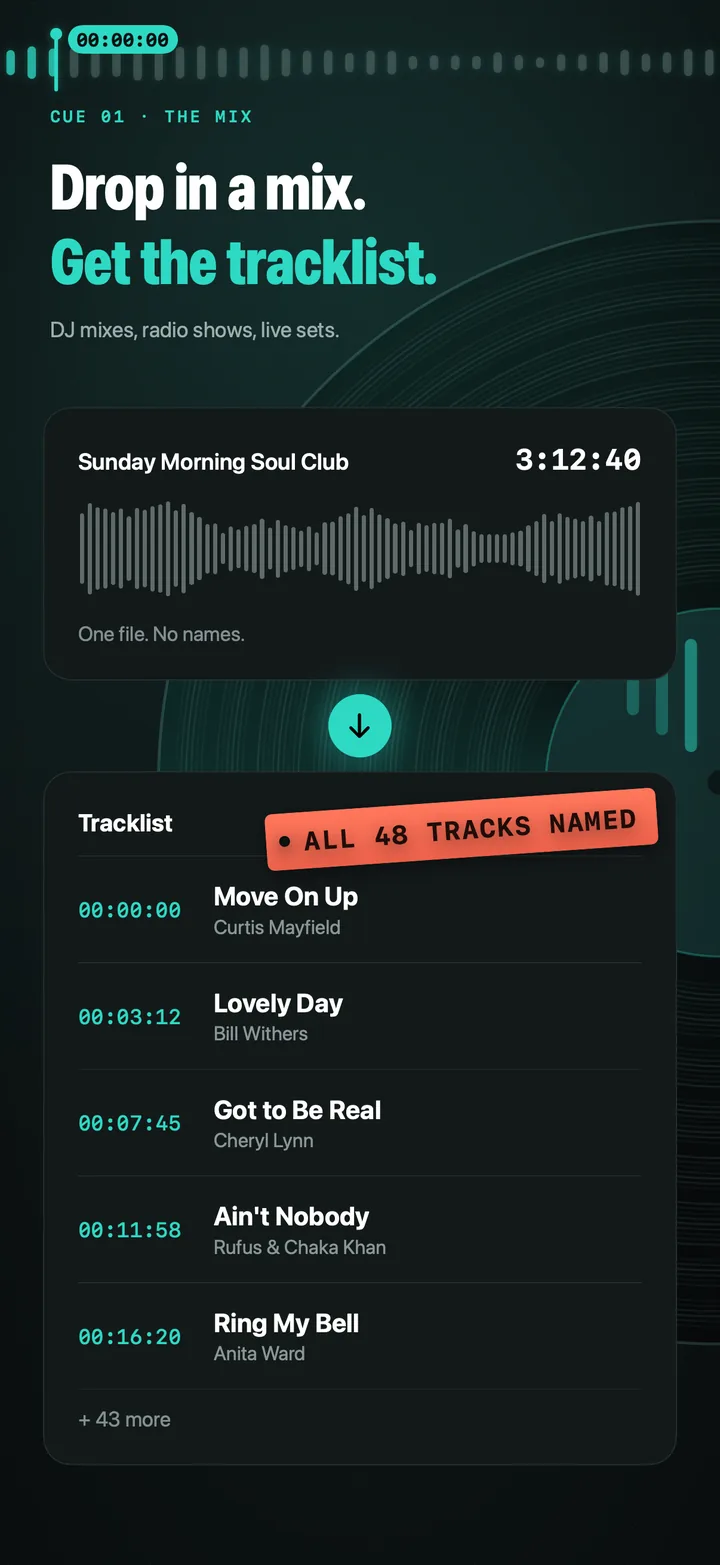
CueID identifies the songs inside long recordings — DJ mixes, radio shows, podcasts and live sets — and turns them into a timestamped tracklist you can check, edit, export and keep, synced across your Mac, iPhone and iPad.
First scan free · one-time unlock
- Powered by Shazam
- Audio never uploaded
- No subscription
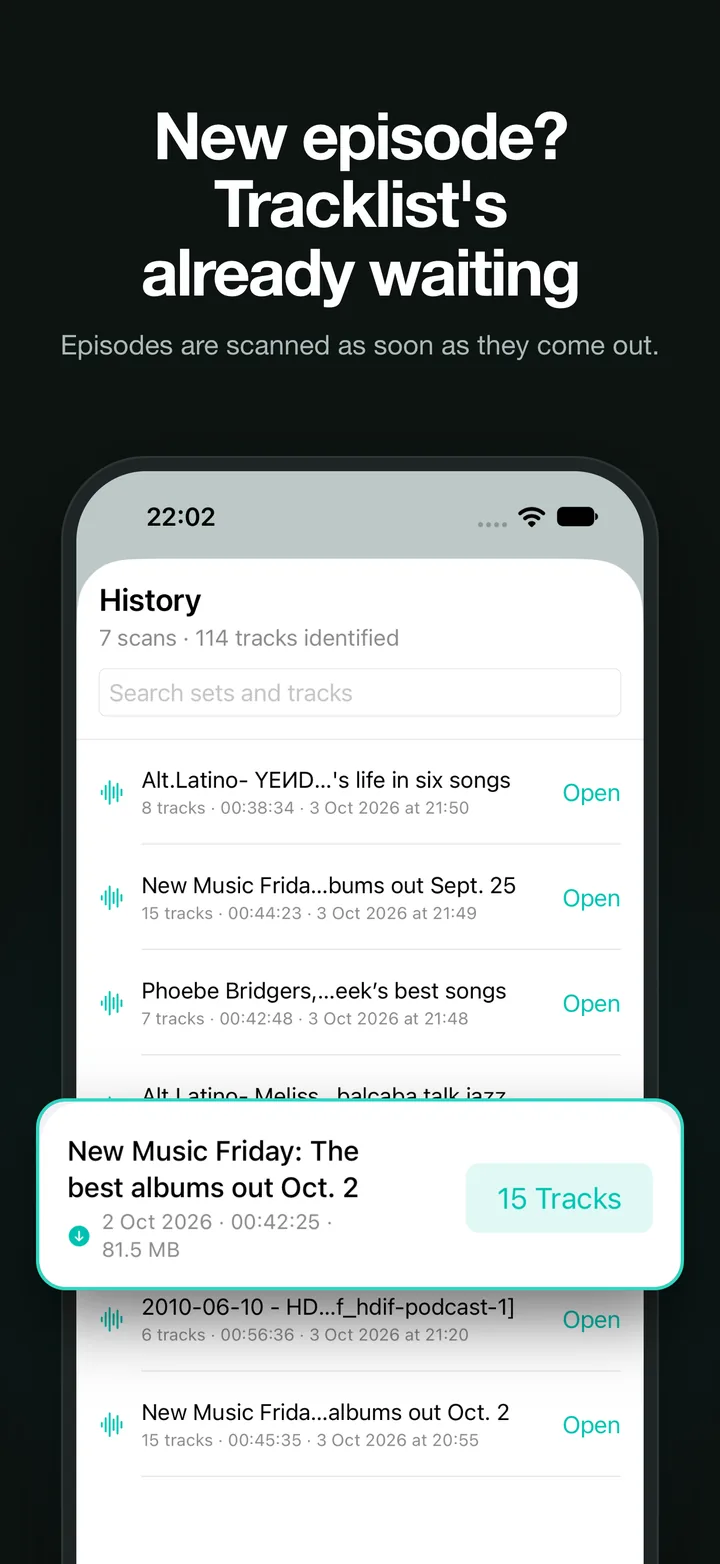
What it does
Every way in
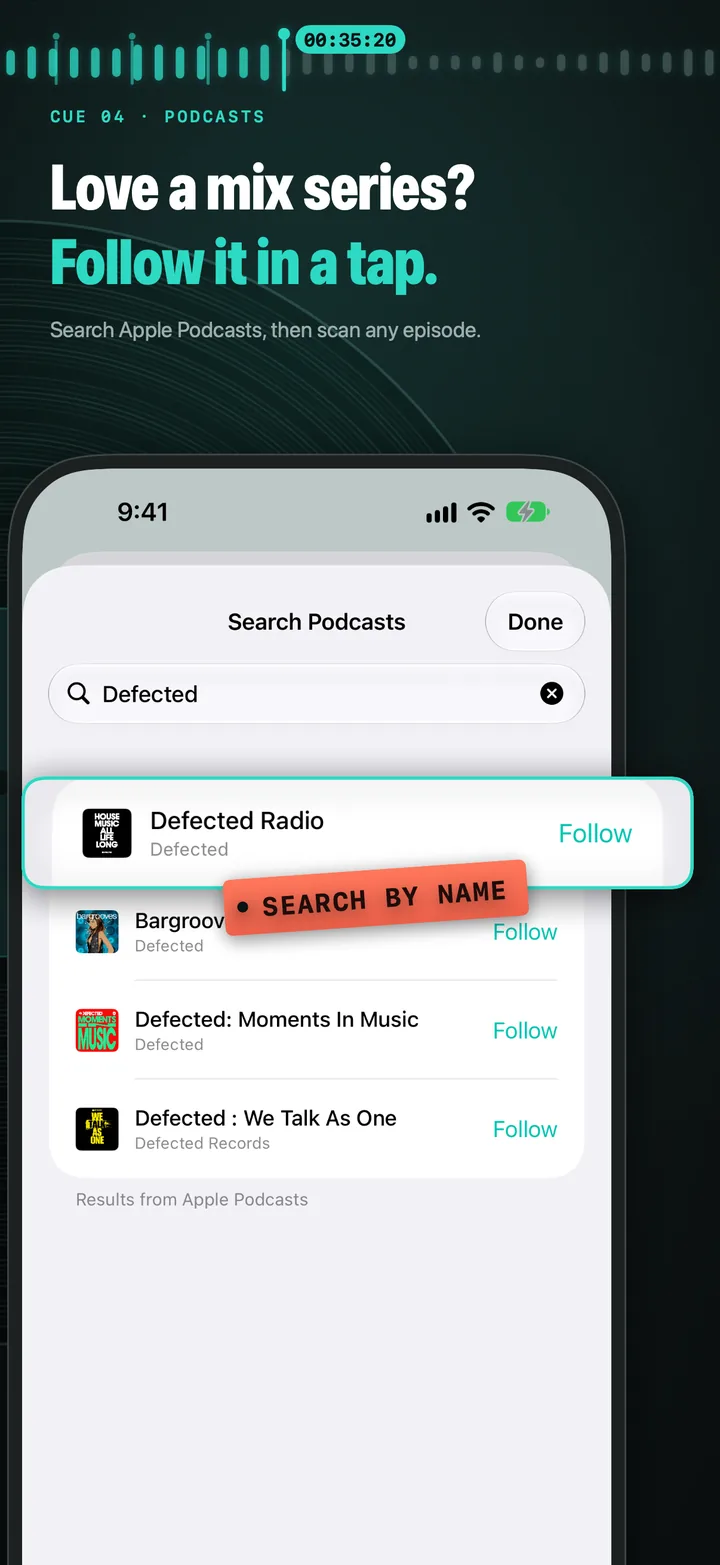
Drop in recordings or a whole folder, paste a Dropbox or Google Drive link, follow a mix series on Apple Podcasts and have new episodes scanned automatically, or open a file in CueID from Files, the Finder or Shortcuts.
Listen, live
At a gig, in a club or next to the radio, Listen names each track as it plays and keeps the time it came in, building the tracklist as the set goes. Nothing is recorded.
Timestamps that land on the drop
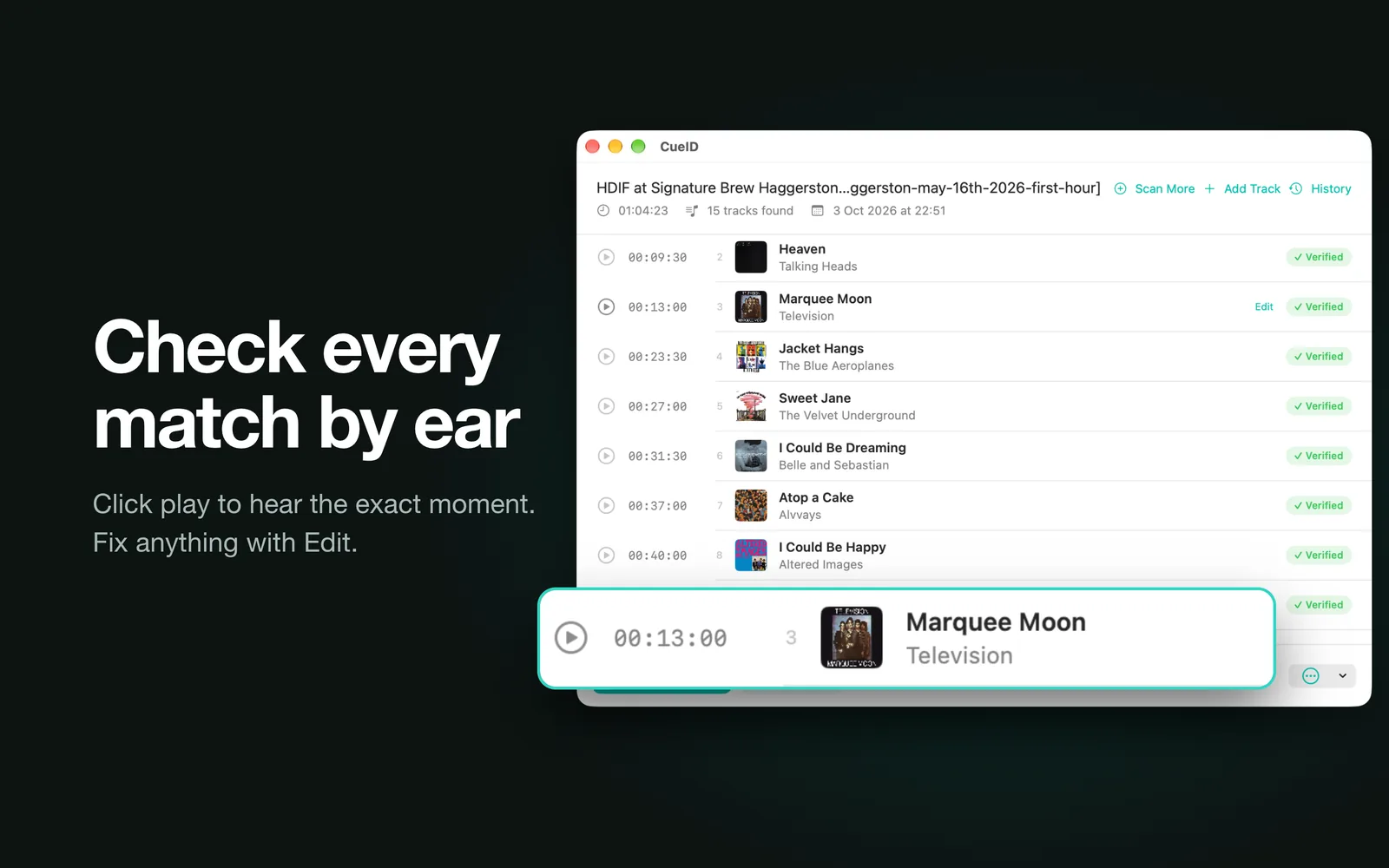
CueID narrows each start time down to the transition, and the waveform shows where every track falls. Drag a marker to move a start time by hand.
Check it by ear
Review steps through the matches Shazam was unsure of and the gaps it couldn’t name, one at a time, so you can listen, confirm, correct or name each one.
Export anywhere
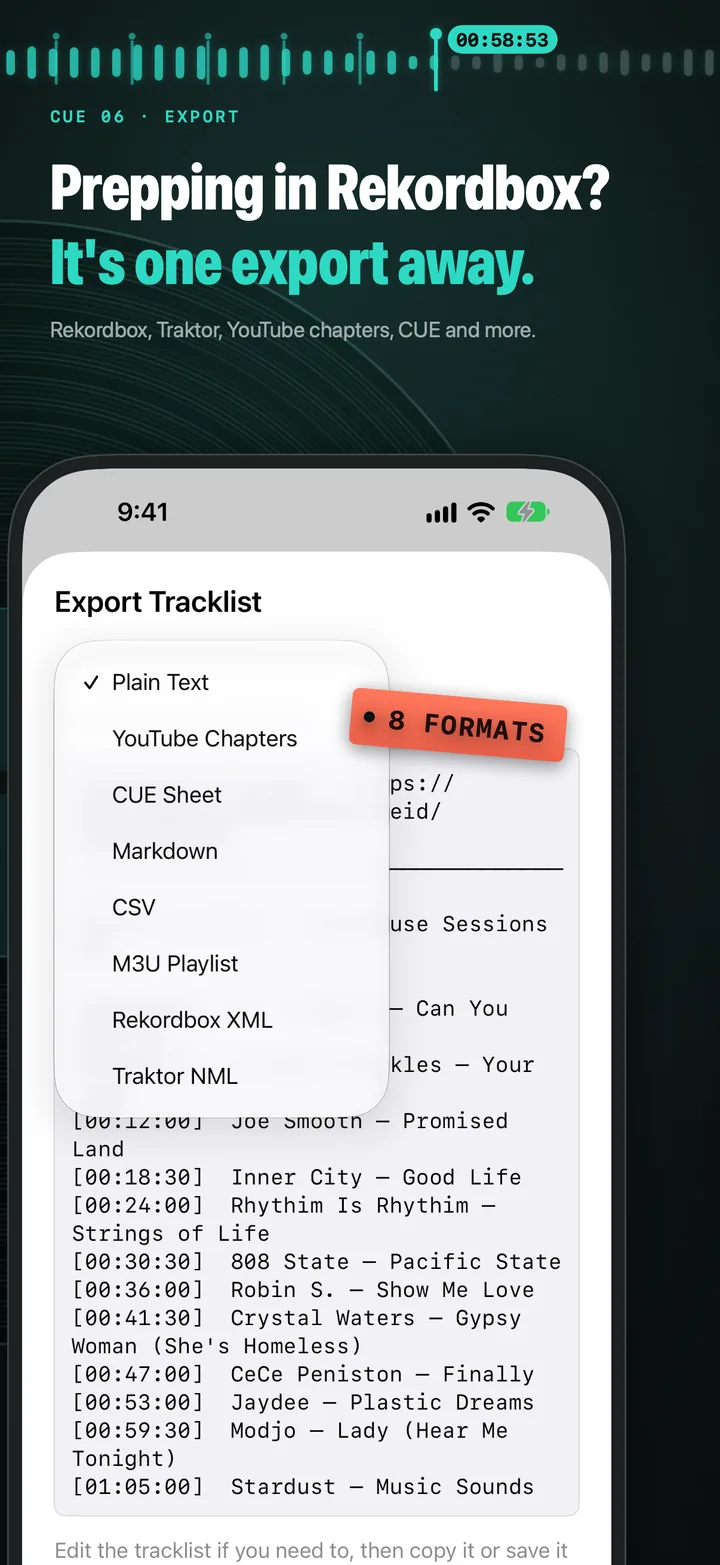
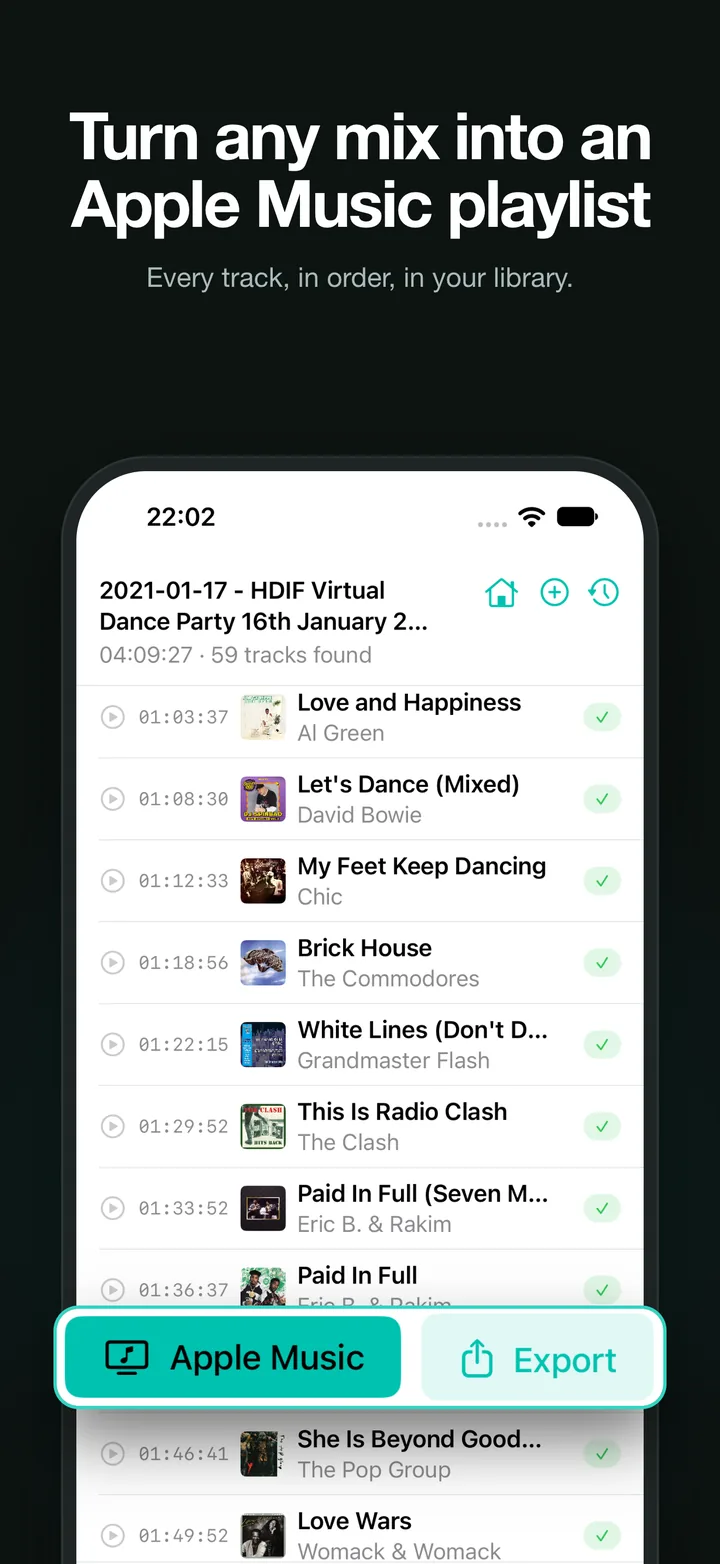
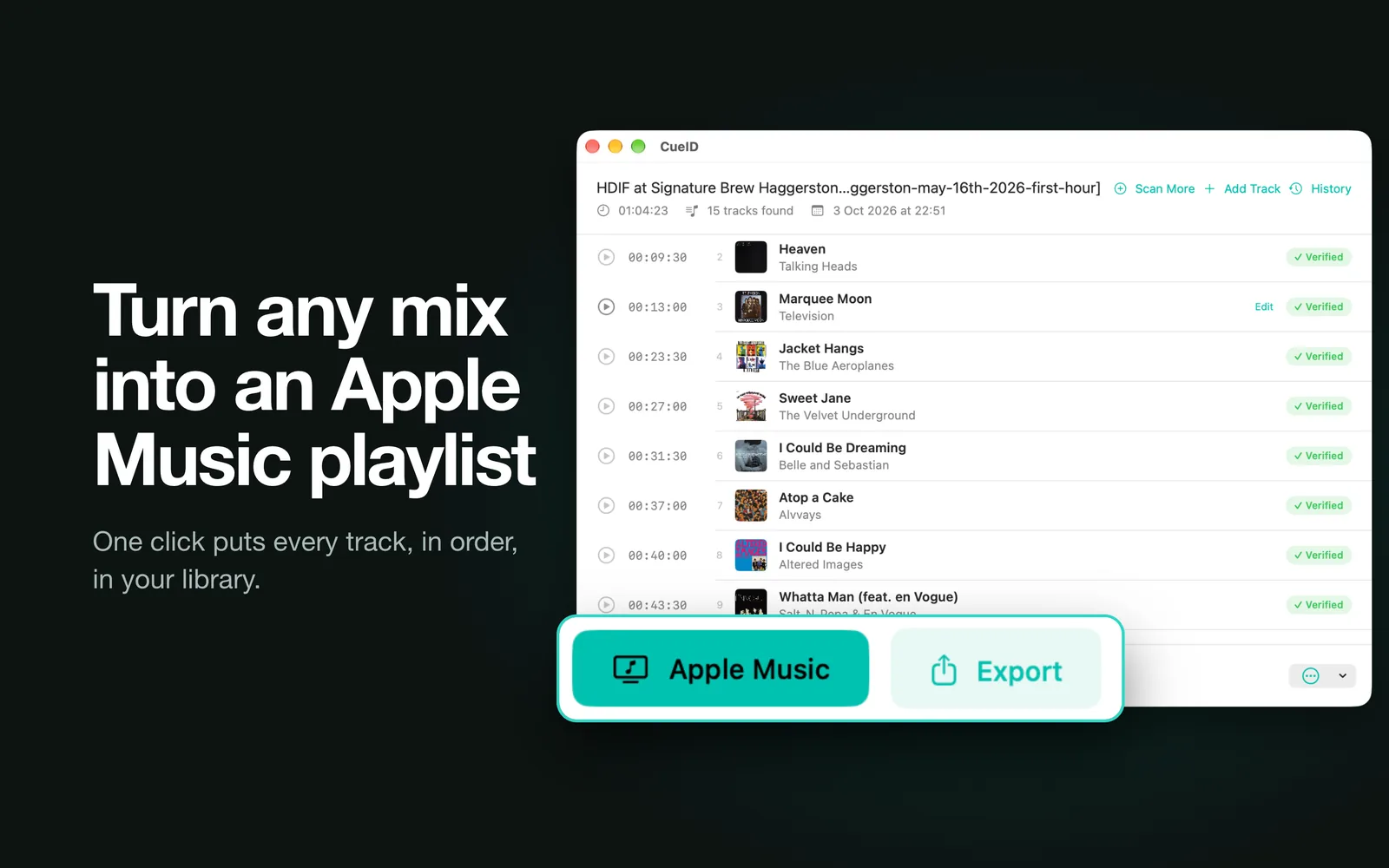
Plain text, YouTube chapters, Mixcloud, 1001Tracklists, CUE sheet, Markdown, CSV, M3U, Rekordbox XML or Traktor NML — or build an Apple Music playlist from everything found.
BPM, key and splitting
See tempo and musical key for each track, include them in your exports, and split a recording into one file per track.
One library, everywhere
Every tracklist is kept in a searchable library — search for a track and jump straight to it — and synced through iCloud to your Mac, iPhone and iPad.
Set it running
Queue as many recordings as you like and get a notification as each finishes. Watch a folder and new recordings are scanned once they’ve finished being written.
On your Mac, too
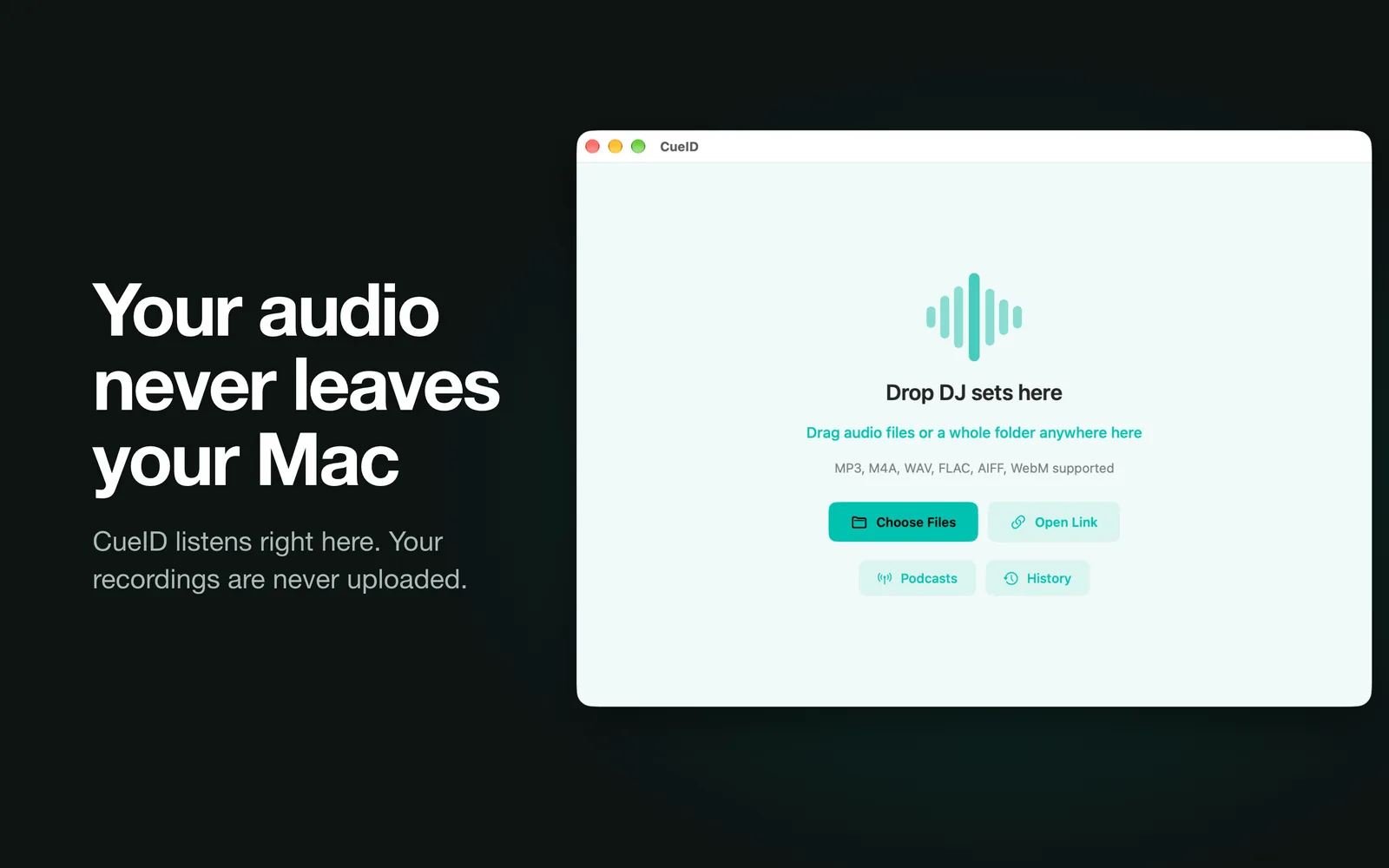
Free to try. Pay once.
Free
- Your first scan, whatever its length
- Every export format and Apple Music playlists
- Editing, review, the library and iCloud sync
One-time unlock
- Unlimited scans — files, links, podcasts and Listen
- The queue, watch folders and automatic podcast scans
- Mac, iPhone and iPad with one purchase, shared with your family
A single in-app purchase. No subscription, and existing owners can restore it on any device.
Download on the App StoreWhat it can’t do
Shazam only recognises music in its catalogue. Unreleased edits, white labels and bootlegs usually won’t match, and heavily mixed passages can be missed — CueID marks those sections rather than guessing, so you can retry, listen or name them yourself. It works with audio files, cloud share links and podcast feeds; it doesn’t download from YouTube, SoundCloud or Mixcloud.
Questions
Something else? See support or read the privacy policy.
Is CueID a subscription?
No. CueID is free to download and your first scan is free. A one-time purchase unlocks unlimited scans on Mac, iPhone and iPad, and Family Sharing shares it with your family.
I bought it on Mac. Do I pay again on iPhone?
No — open CueID on your iPhone or iPad and use Restore on the unlock screen, signed in with the same Apple Account. Family members in your Family Sharing group get it too.
Which audio formats work?
MP3, M4A, AAC, WAV, FLAC, ALAC and AIFF on every device, plus WebM, OGG and Opus on Mac.
Can I paste a YouTube, SoundCloud or Mixcloud link?
No. Links need to point to a downloadable audio file, such as a Dropbox or Google Drive share link. Podcast feeds work too.
Why are some sections marked as unidentified?
Shazam didn’t find a confident match — common with unreleased tracks, bootlegs and dense transitions. Use Review to step through them: listen, retry, or type in the track yourself.
Does Listen record what it hears?
No. Listen uses the microphone the same way the Shazam app does: it turns a few seconds at a time into a fingerprint, sends only that, and keeps nothing else. A listening session counts as one scan.
How accurate are BPM and key?
Tempo is usually within half a BPM on music with a clear beat. Like any detector it can read some half-time music at double or half speed, and key detection is a best guess for blends and atonal tracks — use it as a guide when planning sets.
Is my audio uploaded anywhere?
No. CueID analyses audio on your device and sends only a short acoustic fingerprint to Shazam for matching. Your tracklists sync through your own iCloud account; your recordings stay where they are. See the privacy policy for details.
Guides & notes
- How to find out what a DJ is playing, live, without filming the whole set Shazaming a club set one track at a time misses half of it. Here’s how to build a timestamped tracklist of a live DJ set as it happens, with nothing recorded.
- How to add YouTube chapters to a DJ mix Chapters turn a long mix video into something people can find their way around. Here’s what YouTube needs before chapters appear, and how to make the timestamps for a whole set without scrubbing through it by hand.
- How to find the BPM and key of every track in a DJ mix Want the tempo and key of each track in a mix, to see how it was built or to plan your own sets? Here’s how to get them for a whole recording, what Camelot keys mean, and how far to trust the numbers.
- How to find out what songs were played on a radio show or podcast Radio shows and music podcasts rarely publish full tracklists. Here’s how to identify every song in an episode, with the time it was played.
- How to split a DJ mix into separate tracks, or make a CUE sheet for it Two ways to make a long mix recording easy to navigate — split it into one file per track, or keep it whole with a CUE sheet. Here’s how to do both on a Mac, iPhone or iPad.
- How to turn a DJ mix into an Apple Music playlist Heard a mix you love and want every track in your library? Here’s how to go from one long recording to an Apple Music playlist in the right order.
- How to get a tracklist for a DJ mix, with timestamps Found a mix you love but there’s no tracklist? Here’s how to identify every song in a long recording and get the start time for each one.
- Export a mix tracklist to Rekordbox, Traktor, YouTube chapters or a CUE sheet Which export format to pick for a DJ mix tracklist, and what each one is good for — from YouTube chapters to Rekordbox XML.